
Fortinet NSE 5 - FortiSASE and SD-WAN 7.6 Core Administrator Questions and Answers
A FortiGate device is in production. To optimize WAN link use and improve redundancy, you enable and configure SD-WAN.
What must you do as part of this configuration update process? (Choose one answer)
What is the purpose of the priority/failover connection feature in FortiSASE Geofencing for managing VPN connections?
Refer to the exhibit.
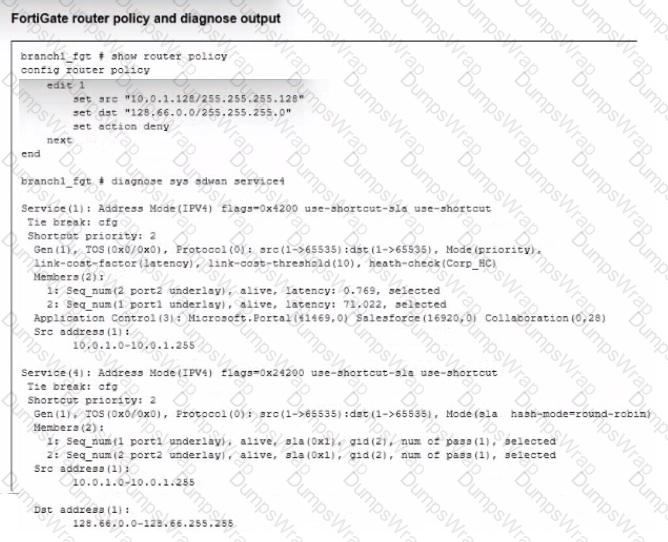
How does FortiGate handle the traffic with the source IP 10.0.1 130 and the destination IP 128 66.0 125?
How does the FortiSASE security dashboard facilitate vulnerability management for FortiClient endpoints? (Choose one answer)
Refer to the exhibit.
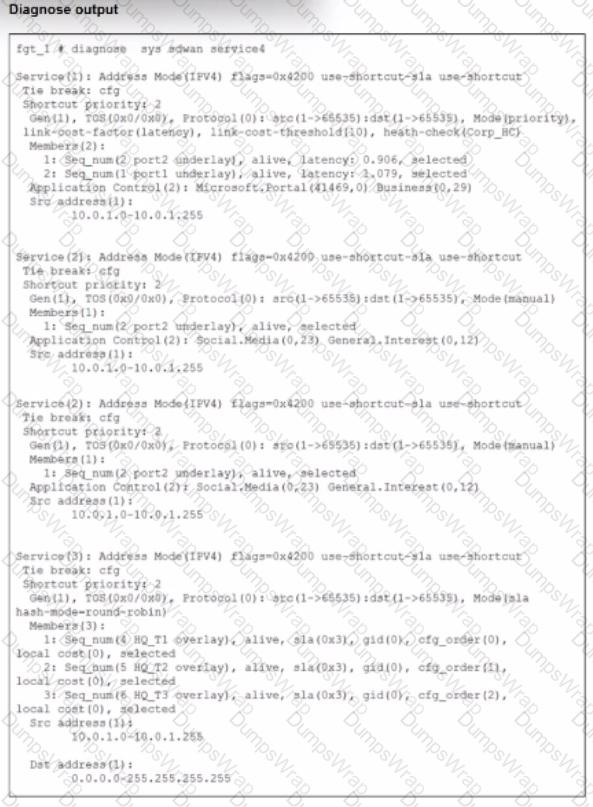
The exhibit shows output of the command diagnose sys sdwan service collected on a FortiGate device.
The administrator wants to know through which interface FortiGate will steer traffic from local users on subnet 10.0.1.0/255.255.255.192 and with a destination of the social media application Facebook.
Based on the exhibits, which two statements are correct? (Choose two.)
SD-WAN interacts with many other FortiGate features. Some of them are required to allow SD-WAN to steer the traffic.
Which three configuration elements must you configure before FortiGate can steer traffic according to SD-WAN rules? (Choose three.)
Which secure internet access (SIA) use case minimizes individual endpoint configuration? (Choose one answer)
Refer to the exhibit, which shows the SD-WAN rule status and configuration.
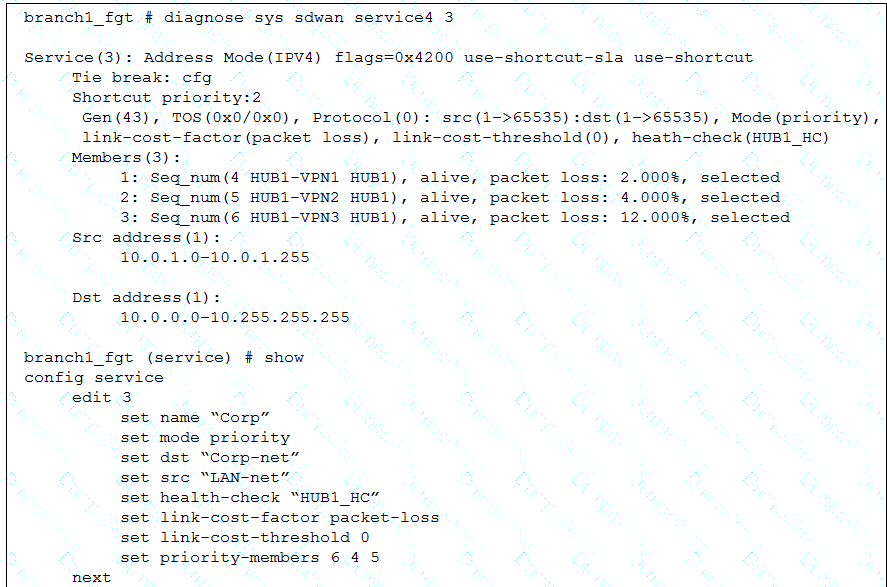
Based on the exhibit, which change in the measured packet loss will make HUB1-VPN3 the new preferred member? (Choose one answer)
Which statement about security posture tags in FortiSASE is correct?
Refer to the exhibit.
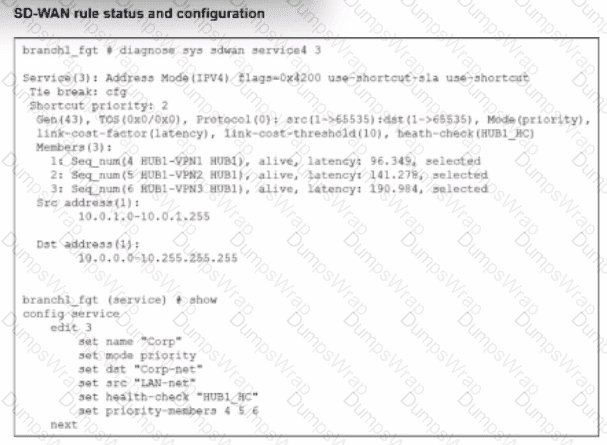
The SD-WAN rule status and configuration is shown. Based on the exhibit, which change in the measured latency will first make HUB1-VPN3 the new preferred member?
Refer to the exhibit.
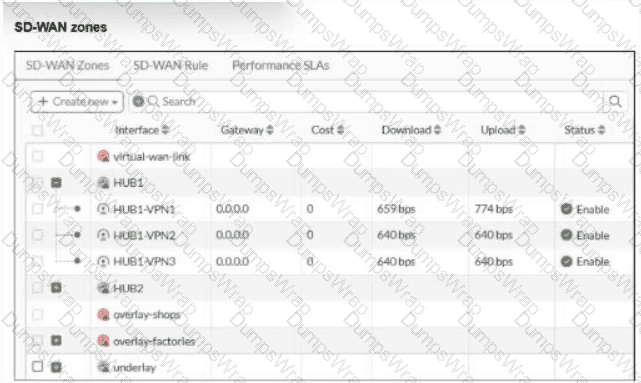
An SD-WAN zone configuration on the FortiGate GUI is shown.
What can you conclude about the zone and member configuration on this device?
Which statement is true about scheduling a FortiClient upgrade using an endpoint upgrade rule?
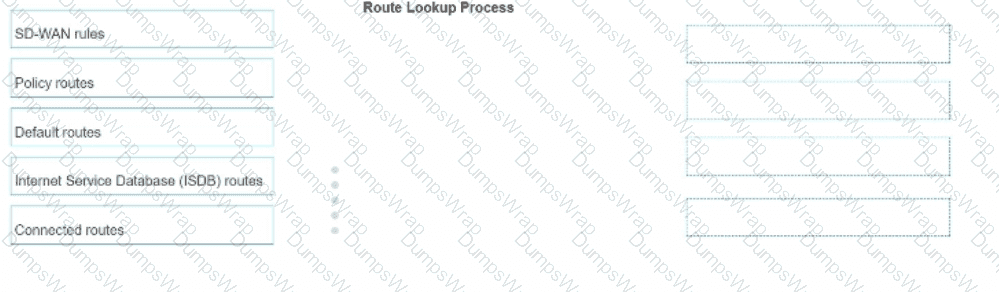
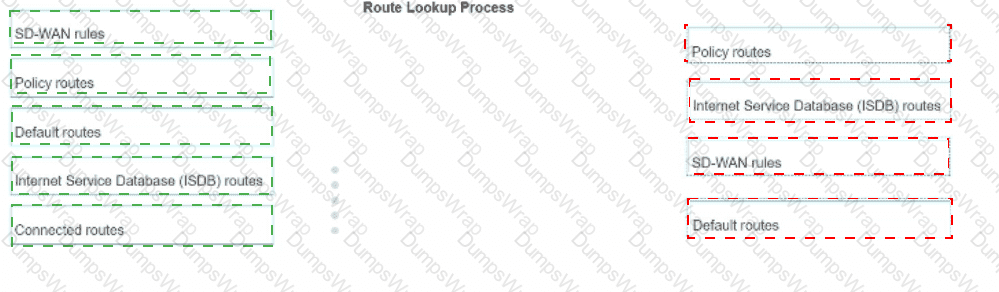
In which order does a FortiGate device consider the following elements shown in the left column during the route lookup process?
Select the element in the left column, hold and drag it to a blank position in the column on the right. Place the four correct elements in order, placing the first element in the first position at the top of the column. Once you place an element, you can move it again if you want to change your answer before moving to the next question. You need to drop four elements in the work area.
Select and drag the screen divider to change the viewable area of the source and work areas.
An existing Fortinet SD-WAN customer who has recently deployed FortiSASE wants to have a comprehensive view of, and combined reports for, both SD-WAN branches and remote users. How can the customer achieve this?
Refer to the exhibit.
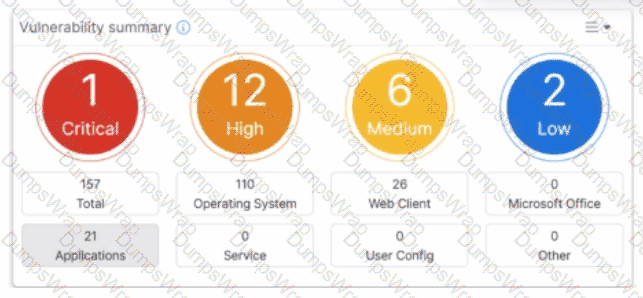
Which two statements about the Vulnerability summary dashboard in FortiSASE are correct? (Choose two.)
