
HTML5 Application Development Questions and Answers
Which two functions support 2D transformations in CSS3? Choose 2.
You need to create the following form:
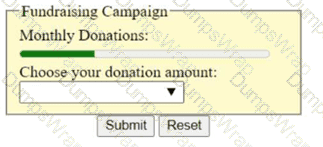
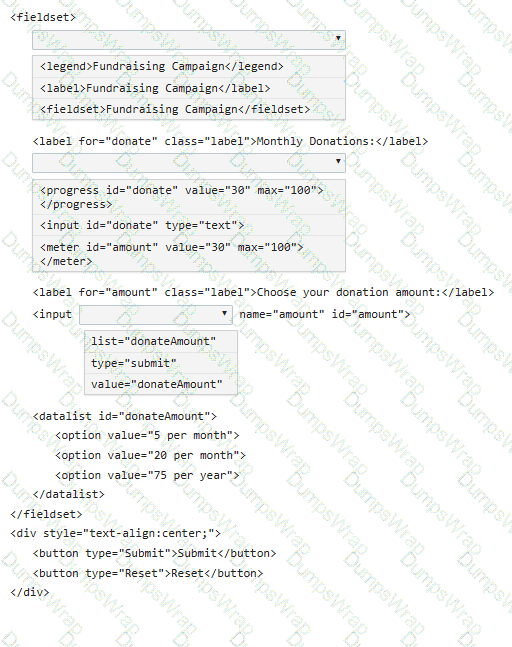
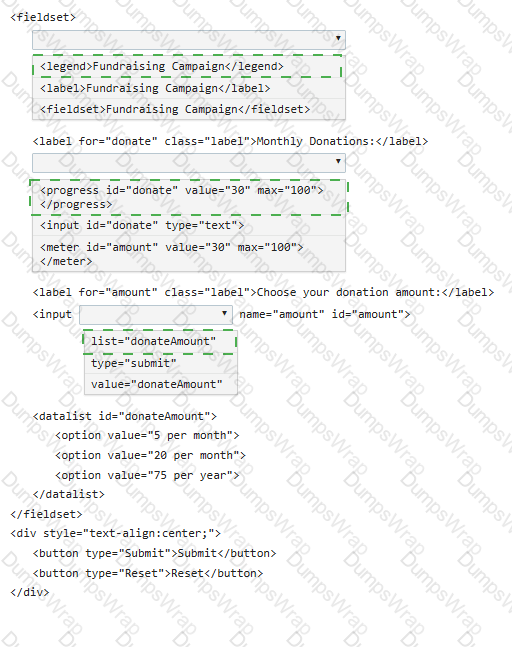
Complete the code by selecting the correct option from each drop-down list.
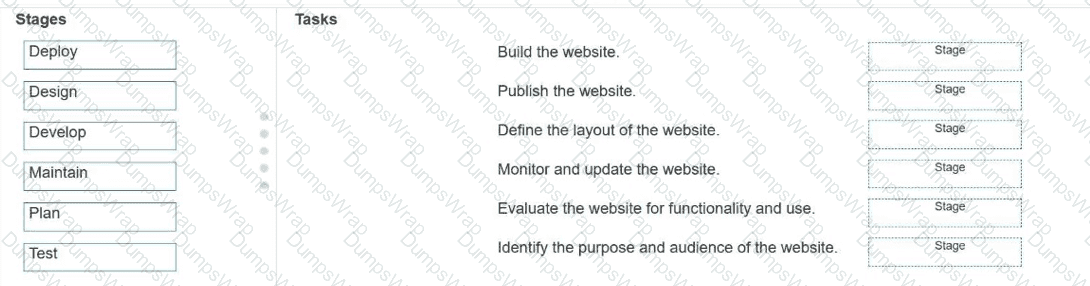
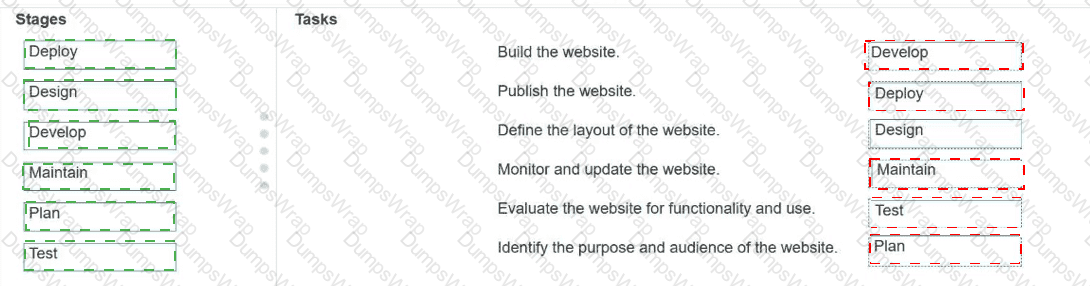
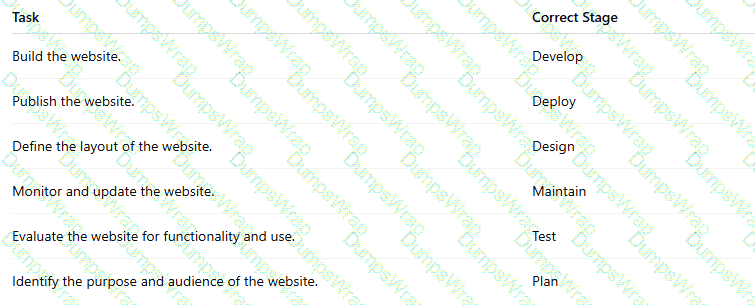
Match each stage of Application Lifecycle Management to the task that occurs during that stage.
Move each stage from the list on the left to the correct task on the right.
Note: You will receive partial credit for each correct match.
You define the following layout:
< !DOCTYPE html >
< html >
< head >
< style >
section {
display: flex;
align-items: center;
flex-wrap: wrap;
min-height: 200px;
width: 700px;
background: linen;
}
section p {
flex: 1;
min-width: 200px;
padding: 20px;
}
< /style >
< /head >
< body >
< h2 > Exhibits to visit at the zoo < /h2 >
< section >
< p style= " order: 3 " > Lions < /p >
< p style= " order: 4 " > Tigers < /p >
< p style= " order: 2 " > Bears < /p >
< p style= " order: 1 " > Zoo Trip < /p >
< /section >
< /body >
< /html >
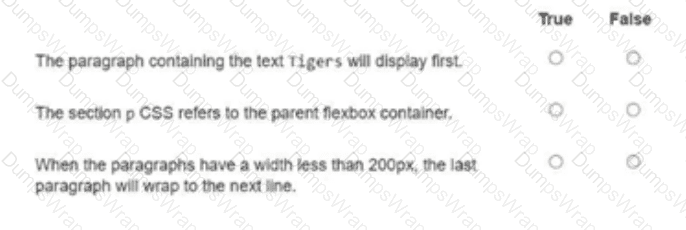
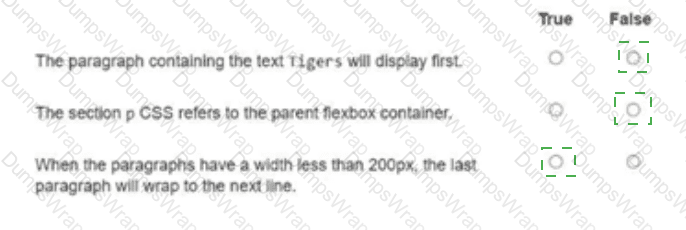
For each statement about the markup shown on the left, select True or False.
You create an interface for a touch-enabled application. Some input buttons do not trigger when tapped. What are two possible causes?
You have created custom error messages for a form. When a user attempts to submit the form with invalid data, the following must occur:
• The data must remain in the form.
• Error messages must be displayed.
Which Event property or method should you use?
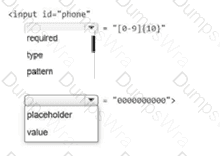
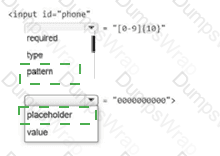
You need to ensure that the value of an input element is a valid 10-digit phone number with no symbols. The input element should initially display all zeroes, but that value should never be stored with the form.
Complete the markup by selecting the correct option from each drop-down list.
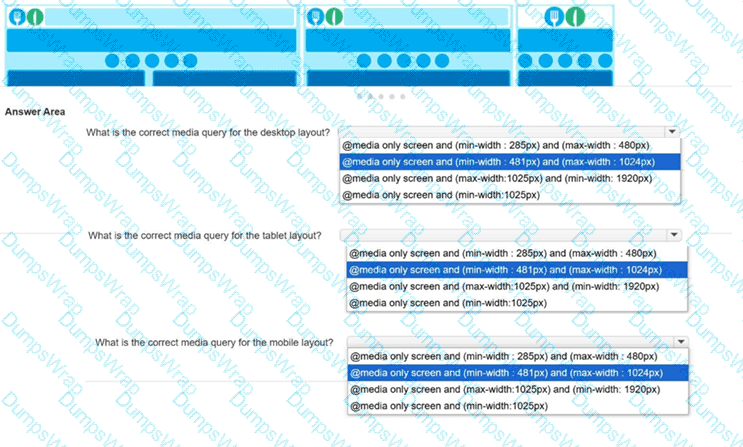
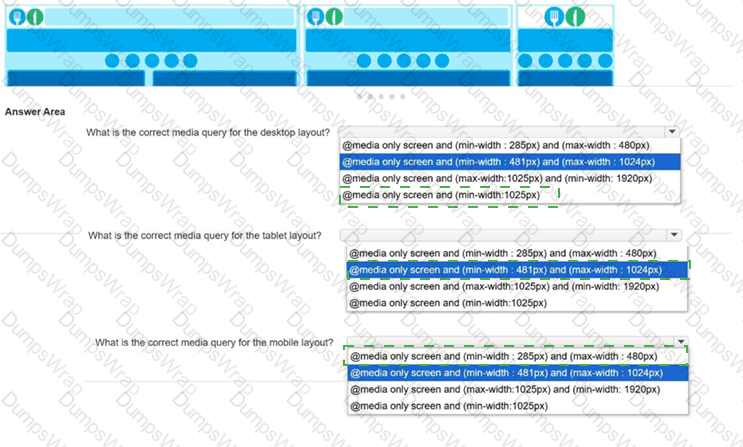
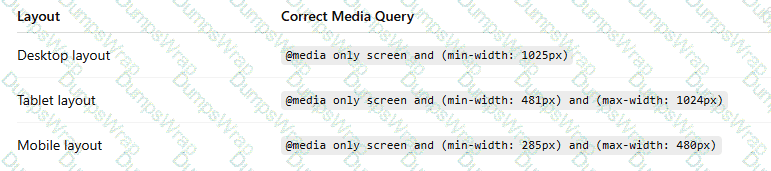
You need to implement media queries for the responsive layout of a new website.
Low-resolution wireframes for the desktop, tablet, and mobile layouts are shown.
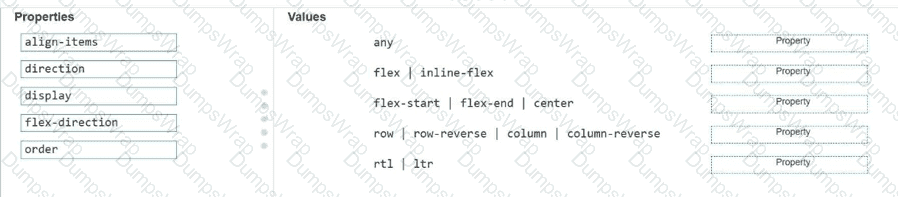
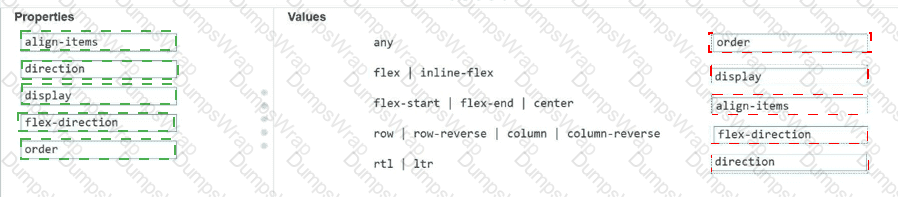
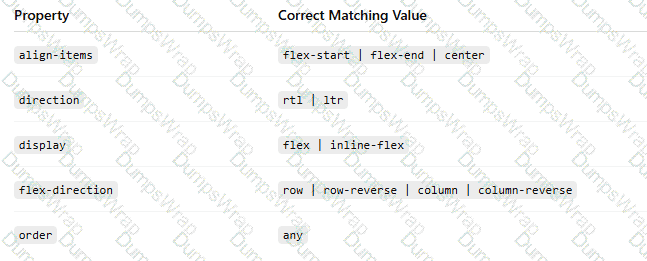
Match each property to its corresponding value for creating the CSS flexible box layout.
Move each property from the list on the left to the correct value on the right.
Note: You will receive partial credit for each correct match.
You need to create the layout shown, which defines five content areas:
Logo and page title
Menu
Main content area
Additional content area
Copyright and contact information
You define the following classes:
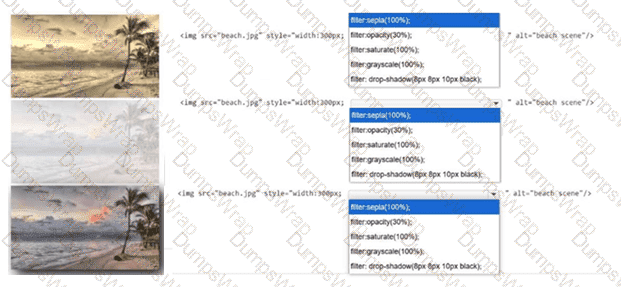
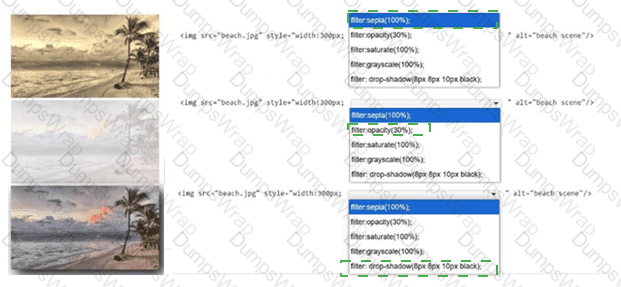
Review the images on the left.
Complete the statements by selecting the correct option from each drop-down list.
Note: You will receive partial credit for each correct selection.
Identify the filter applied to each image.
Complete the markup by selecting the correct option from each drop-down list.
Note: You will receive partial credit for each correct selection.
What is the effect of applying the CSS float: right property to an image?
Which JavaScript method is used to draw a circle on a canvas?
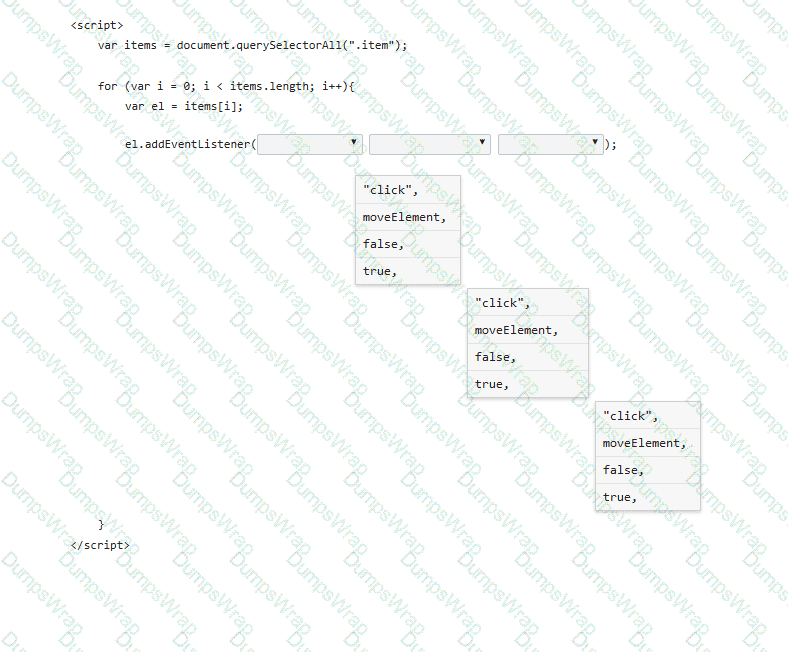
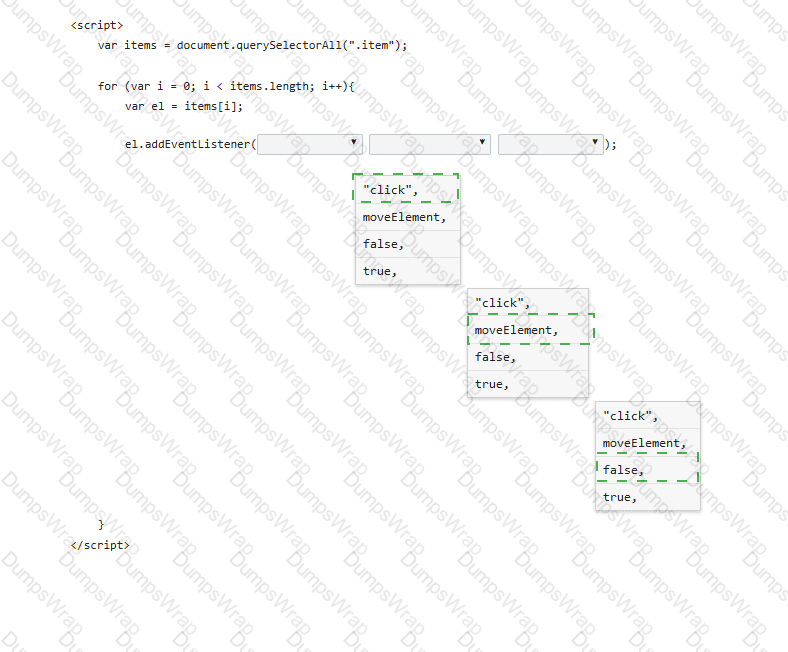
A form has four buttons with a class of item. You need to apply an event listener to all buttons to invoke the moveElement function when a button is pressed. Your code must ensure bubble capture.
Complete the markup by selecting the correct option from each drop-down list.
Note: You will receive partial credit for each correct selection.
Which markup segment uses the output element to display the combined value of two input elements in HTML5?
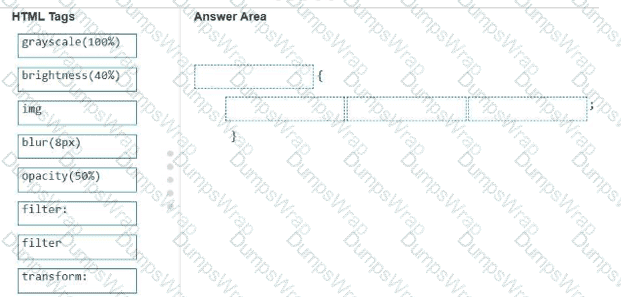
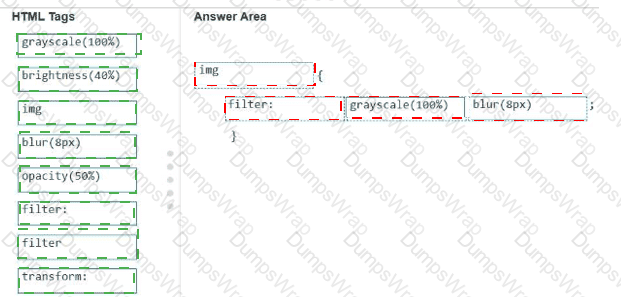
A local photographer asks you to add filters as shown to the images in their photo gallery so that the images are not recognizable until authorized users log in.
Example of original and filtered images:
Original image: full-color flower image
Filtered image: blurred grayscale image

Analyze the images on the left.
Construct a CSS selector that will apply the appropriate filters to the images to meet the requirements.
Complete the markup by moving the appropriate HTML tags from the list on the left to the correct locations on the right. You may use each HTML tag once, more than once, or not at all.
Note: There is more than one correct markup. You will receive credit for any correct markup completion.
You are creating a form that requires the category to be entered as a two- or three-letter abbreviation. The input is mandatory.
You need to configure the input validation for the form.
Complete the markup by typing into the boxes.
Note: You will receive partial credit for each correct answer.

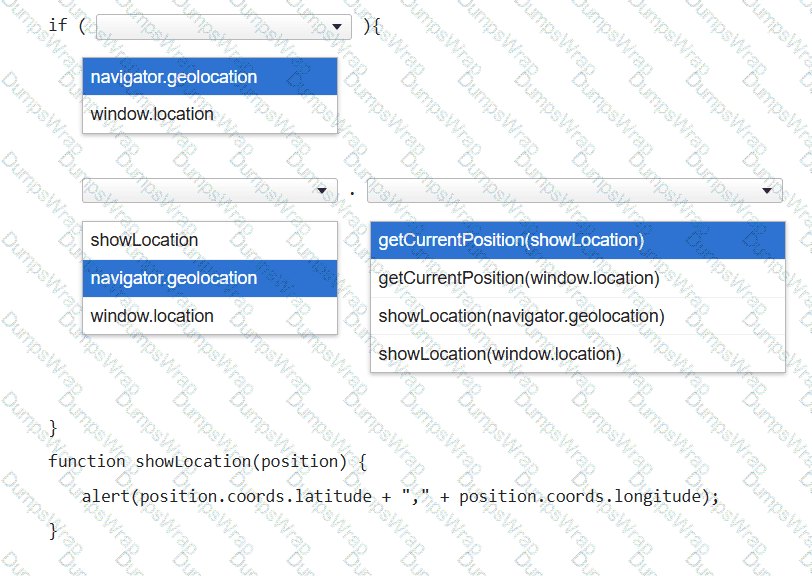
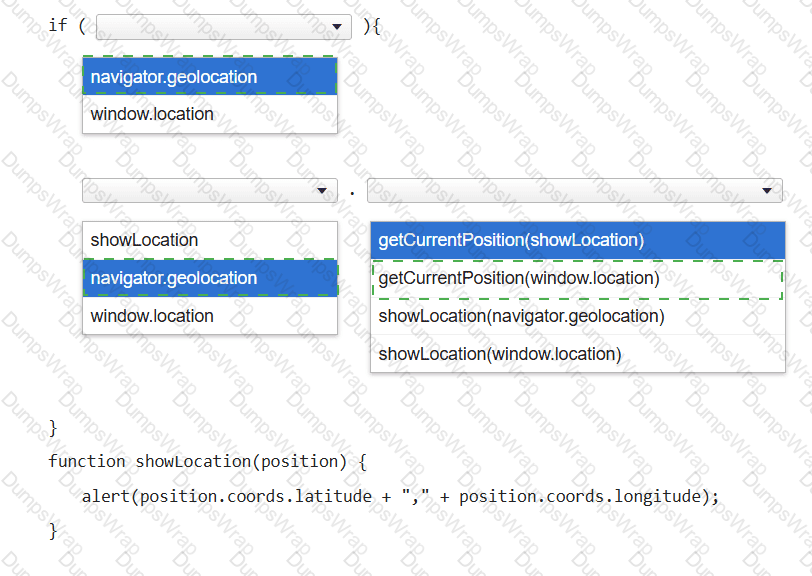
You want to display a message box showing the user ' s current latitude and longitude as identified by the user’s browser.
Complete the code by selecting the correct option from each drop-down list.
Note: You will receive partial credit for each correct selection.
Review the grid container requirements and mockup on the left. Which markup should you use to define the grid container?
