
Developing in Agentic AI Systems Questions and Answers
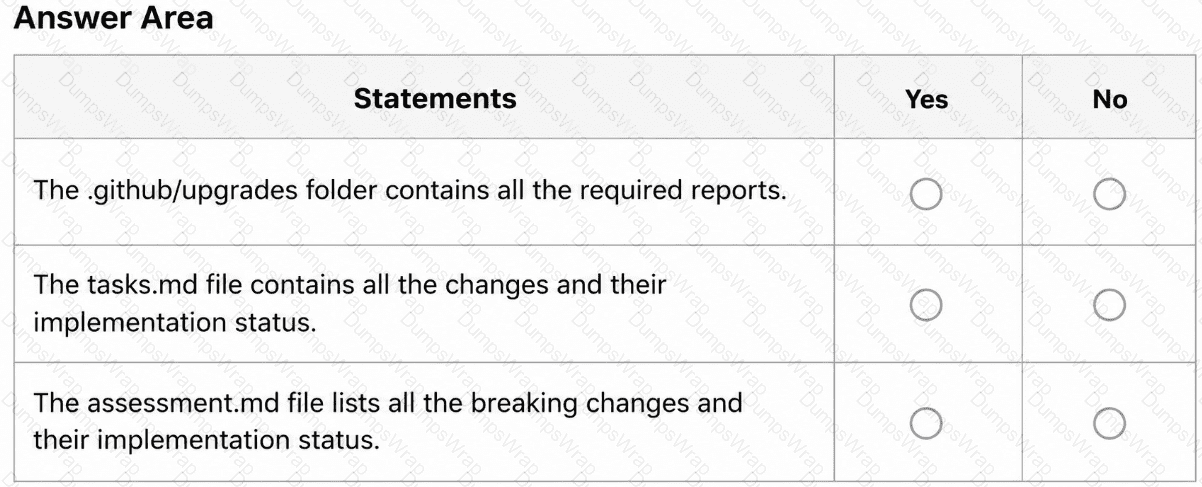
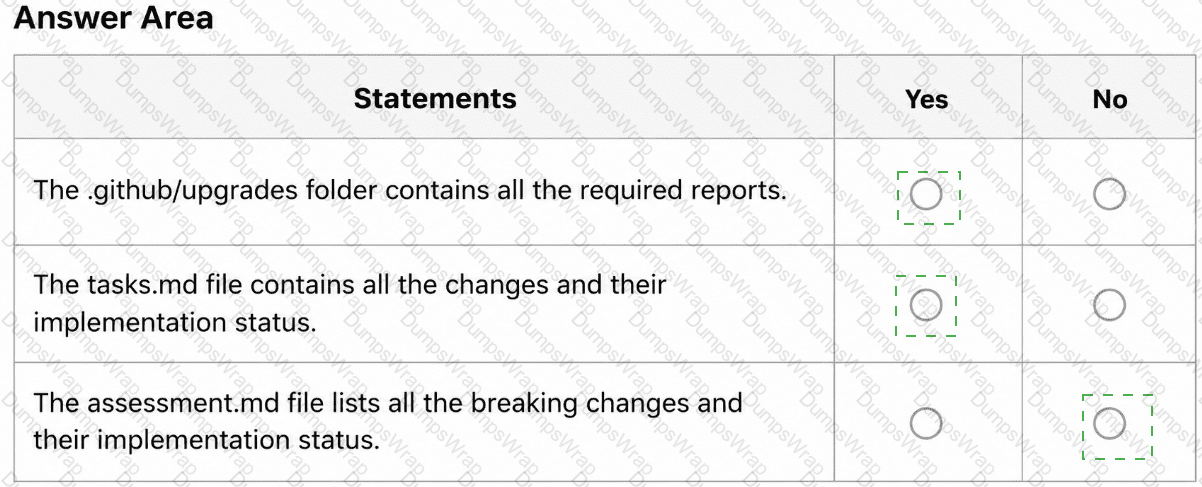
You are evaluating how agent1 will behave after you implement the planned changes.
For each of the following statements, select Yes if the statement is true. Otherwise, select No.
NOTE: Each correct selection is worth one point.
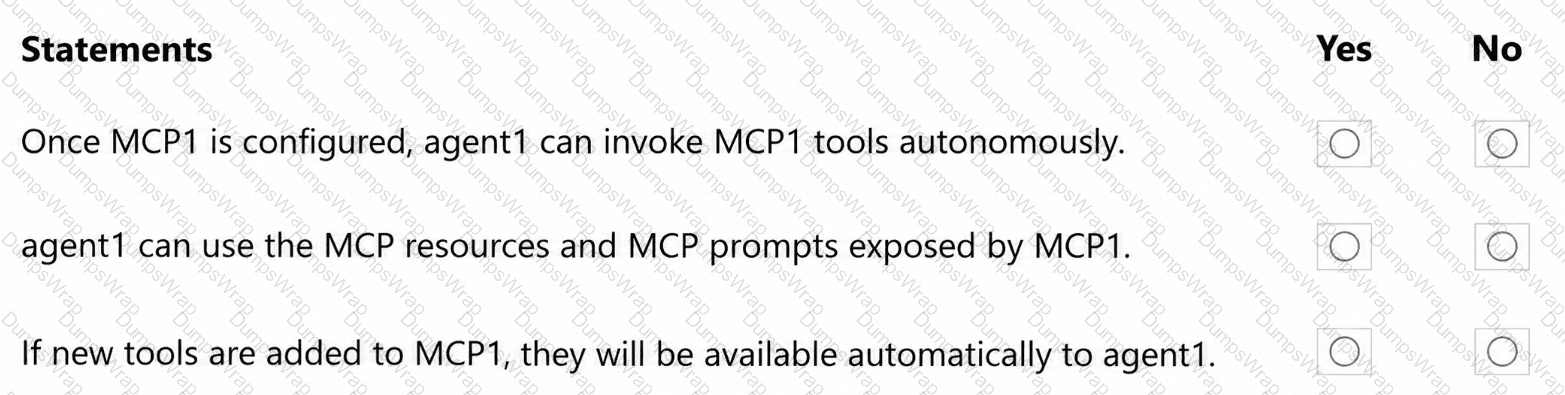
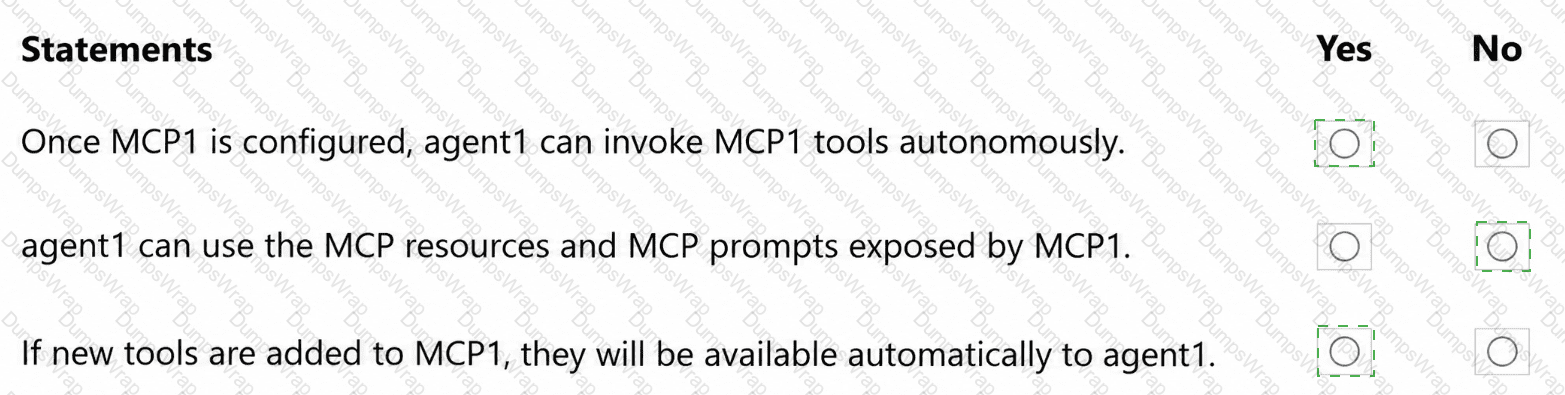
You need to resolve the issue of the agents generating conflicting output. The solution must meet the implementation guidelines.
What should you do?
You need to resolve the scoping issue associated to agent1.
What should you do?
You need to configure agent1 to support the planned changes.
What should you do?
You need to provide access to the API key of MCP1. The solution must meet the security requirements.
What should you do?
You need to make changes to repo1 to support the planned changes for the agents.
What should you modify?
You need to enable Copilot memory to support the planned changes.
What should you configure?
You are evaluating the logs of the multi-agent workflow in repo2.
For each of the following statements, select Yes if the statement is true. Otherwise, select No.
NOTE: Each correct selection is worth one point.
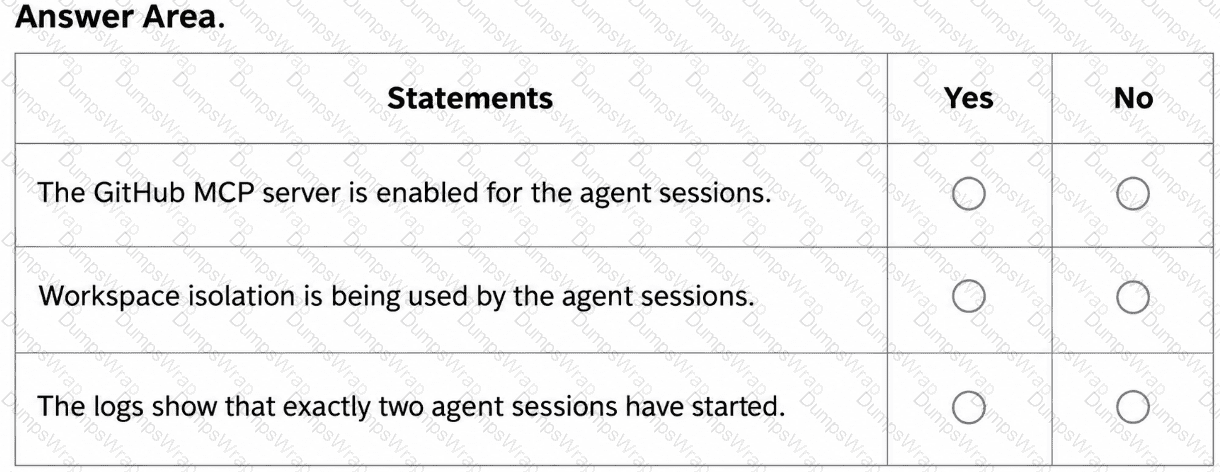
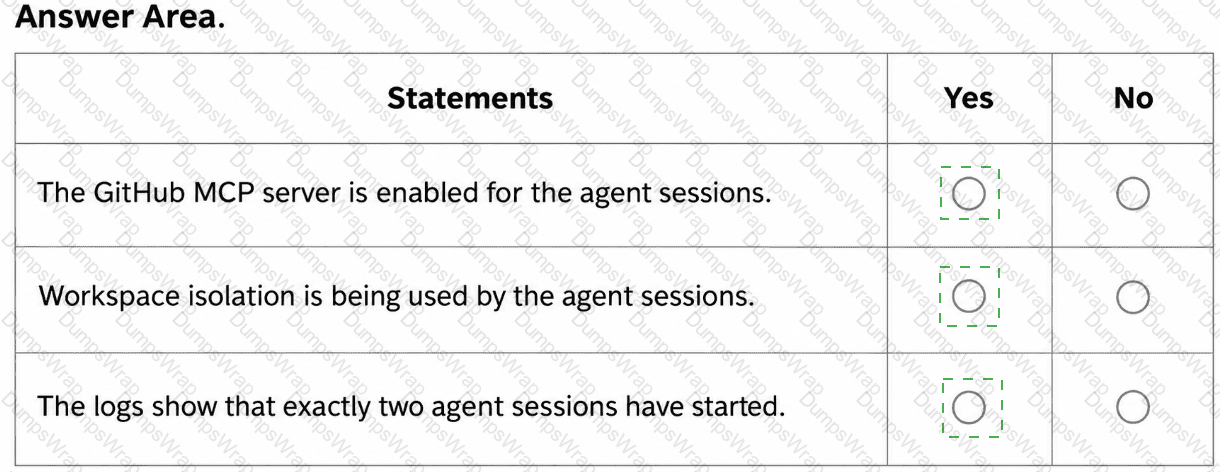
You need to make changes to repo1 to support the planned changes for the developers.
What should you modify?
After App1 is upgraded to meet the technical requirements, you need to validate the output.
For each of the following statements, select Yes if the statement is true. Otherwise, select No.
NOTE: Each correct selection is worth one point.
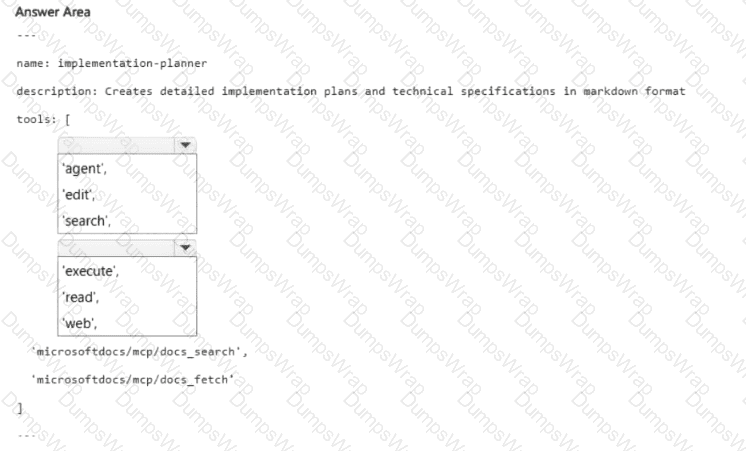
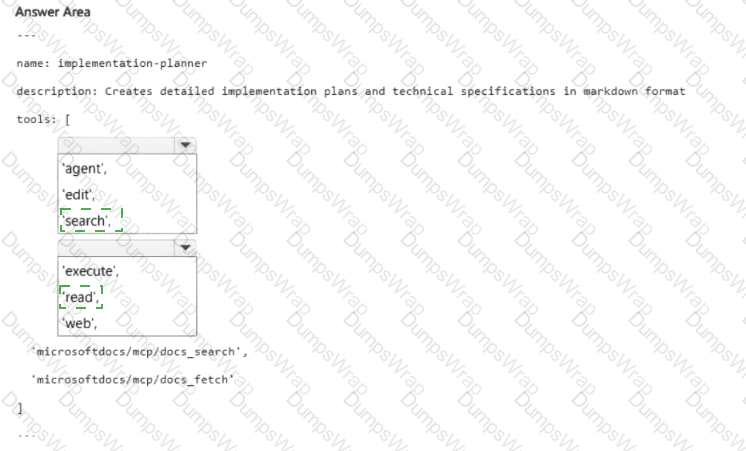
You need to implement agent2 to meet the technical requirements.
How should you complete the YAML configuration? To answer, select the appropriate options in the answer area.
NOTE: Each correct selection is worth one point.
HOTSPOT
name: implementation-planner
description: Creates detailed implementation plans and technical specifications in markdown format
tools: [
< Dropdown 1 > ,
< Dropdown 2 > ,
' microsoftdocs/mcp/docs_search ' ,
' microsoftdocs/mcp/docs_fetch '
]
The accompanying image includes empty dropdown controls and recreated practice alternatives.
You have a GitHub repository.
Developers use the GitHub Copilot CLI and repository-scoped hooks under .github/hooks/*.json.
You need to allow the Copilot CLI to automatically run low-risk Bash commands. The solution must prevent the autonomous execution of high-risk commands, such as sudo, rm -rf, and curl ... | bash.
What should you do?
You have a GitHub Copilot Enterprise subscription. Developers use Microsoft Visual Studio Code and GitHub Copilot.
The developers want to share a custom agent that can review code changes but cannot modify files.
You need to prevent the agent from modifying repository content and appearing in the agents dropdown.
How should you configure the YAML frontmatter for the agent? To answer, drag the appropriate values to the correct targets. Each value may be used once, more than once, or not at all. You may need to drag the split bar between panes or scroll to view content.
NOTE: Each correct selection is worth one point.
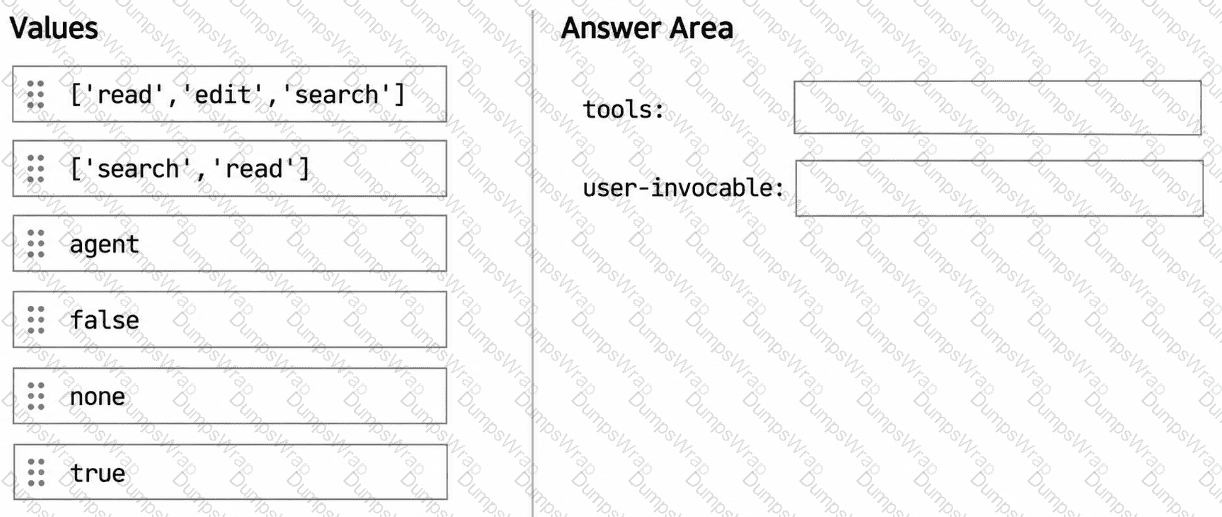
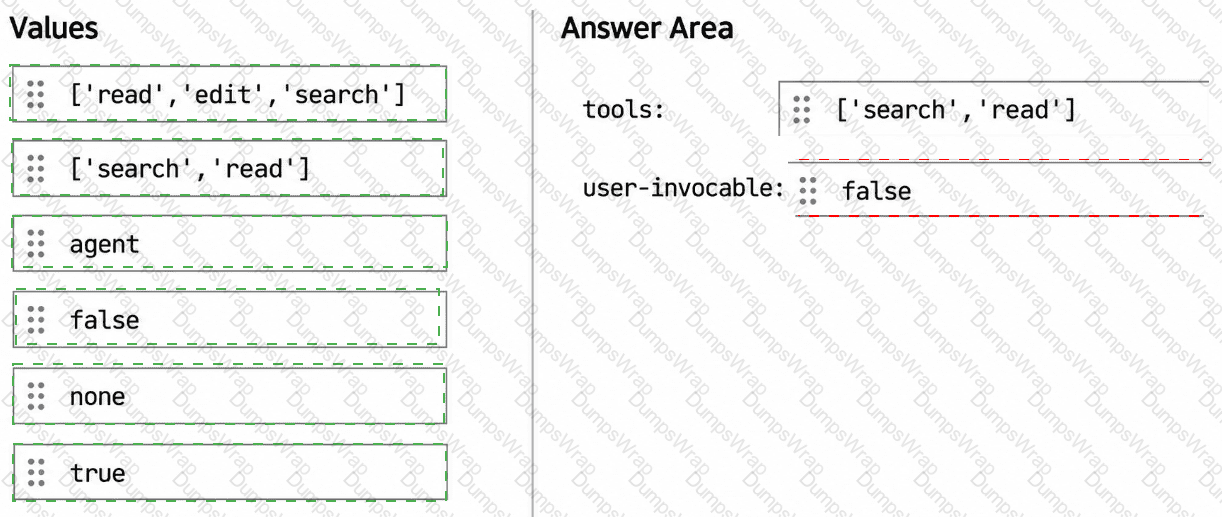
You have a GitHub Copilot coding agent named Orchestrator that runs a multi-phase workflow by using the following subagents:
Explorer gathers context by using read-only tools.
Modifier applies focused edits.
You are adding a new agent named Summarizer that generates a concise summary after modifications are complete. Summarizer includes the following YAML frontmatter:
---
name: Summarizer
description: Produce a concise summary of recent changes
tools: [ ' fetch ' ]
user-invocable: false
disable-model-invocation: true
---
The Orchestrator agent lists all three agents in its agents property.
After adding the Summarizer agent, Orchestrator successfully runs Explorer and Modifier but fails to run Summarizer.
What is a possible cause of the failure?
You have a GitHub repository that uses the GitHub Copilot coding agent to run agent plans for assigned issues.
You discover that some issues contain ambiguous implementation steps.
You need to reduce the likelihood that Copilot executes plans based on ambiguous implementation steps.
What should you do?
You are analyzing the following agent logs.
2026-03-19 21:00:59.905 [info] ccreq:6343bff1.copilotmd | success | gpt-5.3-codex | 10385ms | [panel/editAgent]
2026-03-19 21:01:09.644 [info] ccreq:4612e90d.copilotmd | success | gpt-5.3-codex | 9806ms | [panel/editAgent]
2026-03-19 21:01:09.856 [info] [ToolCallingLoop] Stop hook result: shouldContinue=false, reasons=undefined
2026-03-19 21:01:30.816 [info] ccreq:9dcd0468.copilotmd | success | gpt-5.3-codex | 5489ms | [panel/editAgent]
2026-03-19 21:01:31.475 [error] Error from tool mcp_microsoftdocs_microsoft_docs_search with args
{ " query " : " VS Code custom agent name from frontmatter and filename behavior " }:
Cannot read properties of undefined (reading ' invoke ' ):
TypeError: Cannot read properties of undefined (reading ' invoke ' )
You need to classify the error in a report for your company’s CTO.
How should you classify the error?
You are evaluating the following workflow YAML.
jobs:
agent1:
runs-on: ubuntu-latest
environment: agent-sandbox
steps:
- uses: actions/checkout@v4
For each of the following statements, select Yes if the statement is true. Otherwise, select No.
NOTE: Each correct selection is worth one point.


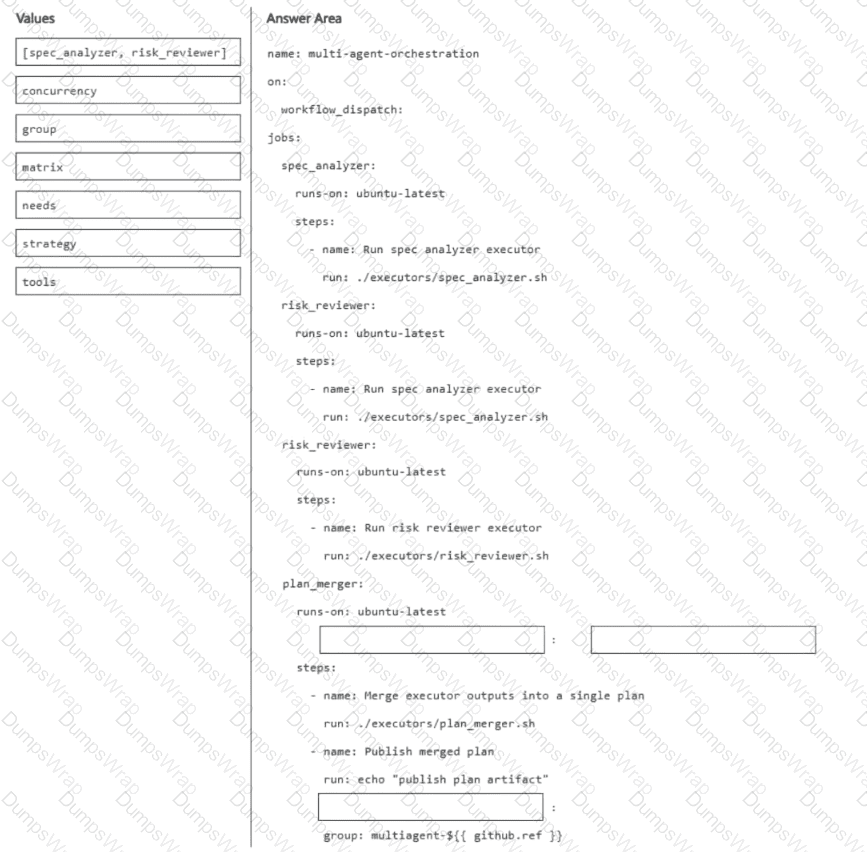
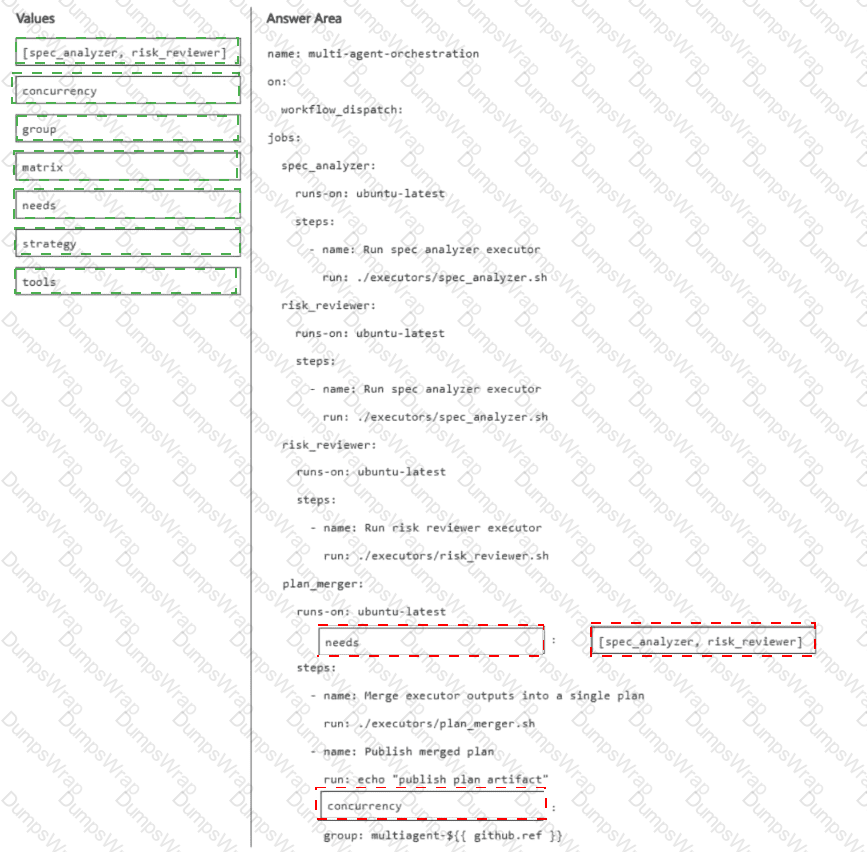
You have a GitHub repository that runs an agentic software development lifecycle workflow by using GitHub Actions. The workflow uses the following three executors implemented as scripts: spec_analyzer, risk_reviewer, and plan_merger.
You need to coordinate multiple specialized agents so that analysis and risk review run in parallel and then a final executor merges the outputs into a single plan. The orchestration pattern must fan out one request to multiple executors and then fan in the results to a final executor.
How should you complete the workflow definition? To answer, drag the appropriate values to the correct targets.
You have a repository on github.com that uses the GitHub Copilot coding agent.
You also use the GitHub Copilot CLI locally to reproduce failures and continue the same work from your terminal.
You need to verify the current token usage.
Which Copilot CLI slash command should you run?
You have a GitHub repository that uses GitHub Actions for CI.
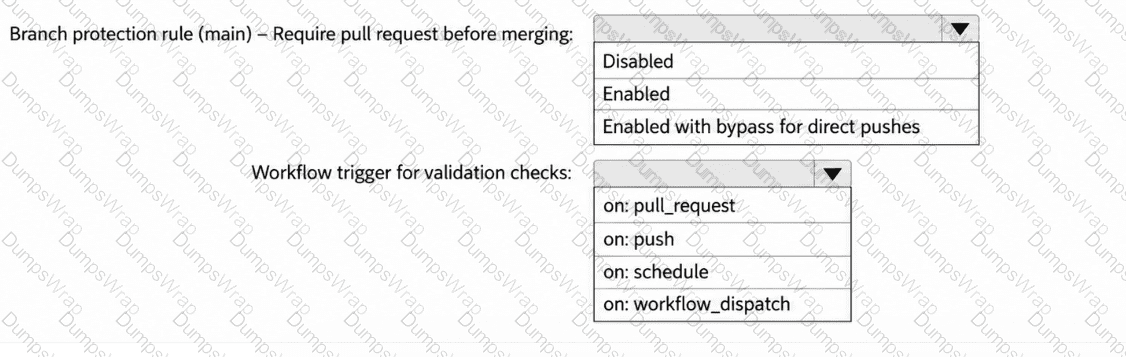
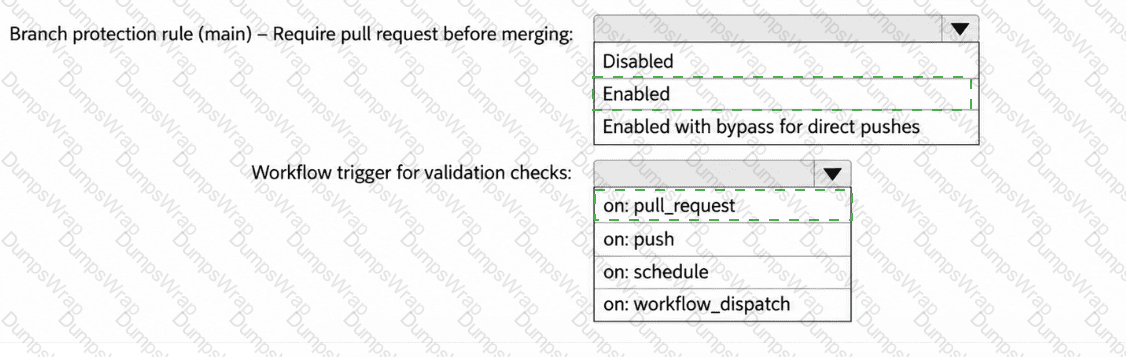
Your team is piloting the GitHub Copilot coding agent to autonomously create branches and open pull requests. The repository follows trunk-based development that uses main as the default branch.
You need to ensure that the agent meets the following requirements:
Changes to main can occur only by using pull requests that have at least one approval.
When a pull request is opened, a validation workflow runs.
How should you configure the repository? To answer, select the appropriate options in the answer area.
You are running the GitHub Copilot CLI and want the agent to execute file edits and shell commands without prompting for confirmation on each individual action, during a trusted throwaway sandbox session. Which flag/command should you use?
You have a GitHub repository.
You use the GitHub Copilot CLI to run an agentic workflow from the terminal.
During execution, the conversation history approaches the context limit. The agent cannot continue the current session unless the amount of retained context is reduced.
You need to continue the current session without losing all prior progress.
Which Copilot CLI slash command should you run?
